Help
Last updated: July 8, 2026
Getting started
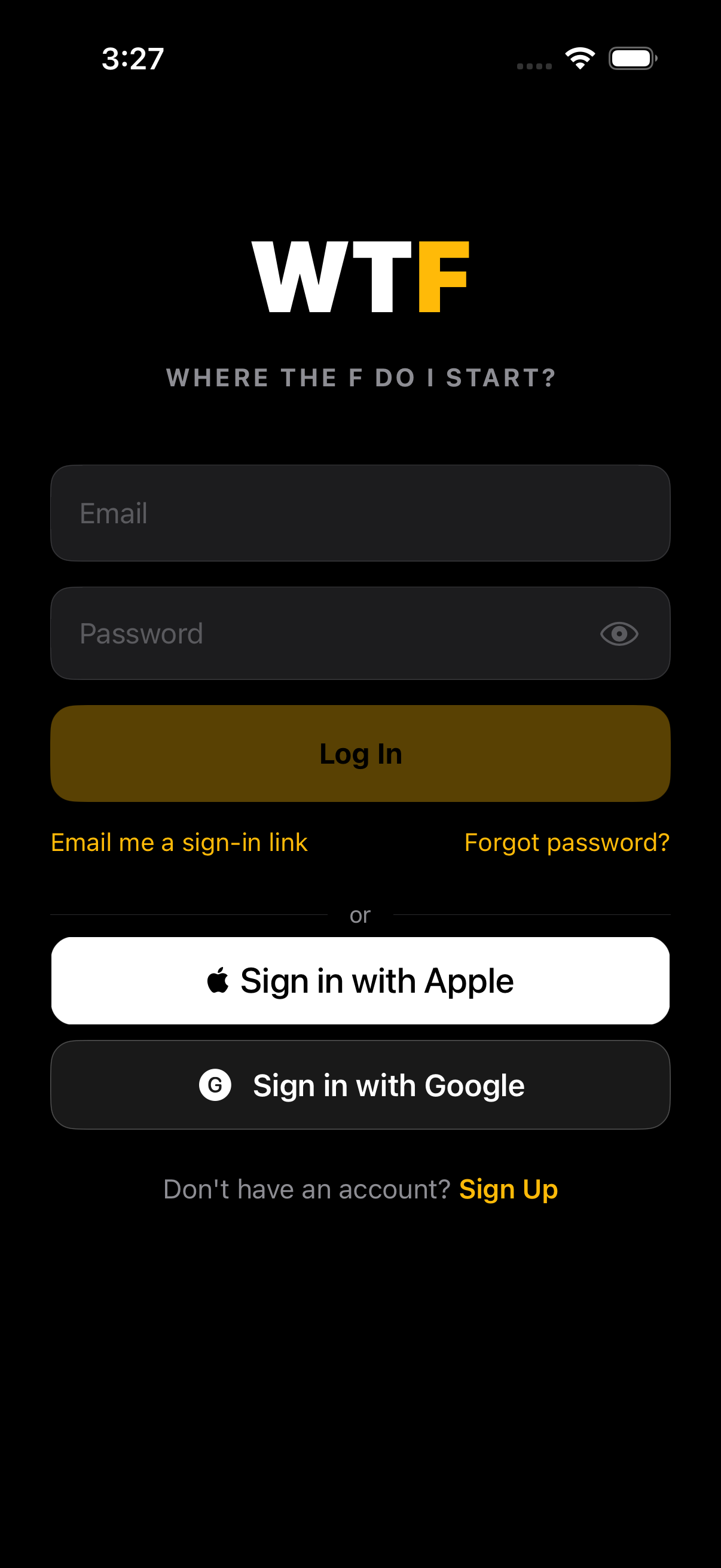
Three ways to make an account on the welcome screen:
- Sign in with Apple. Fastest path. One tap, no password to remember. You can choose to hide your email — Apple will give us a relay address that forwards mail to you.
- Sign in with Google. One tap if you're already signed into Google on the device.
- Email + password. Old-school. You'll get a verification email — click the link to activate. Or skip the password entirely and use the magic link button on the sign-in screen — we email you a one-tap link.
Onboarding asks for the basics: name, sex at birth, height, weight, primary goal. You can skip everything except name — the app works fine without the rest, you just won't get tailored calorie + macro targets.
The four tabs (plus the +)
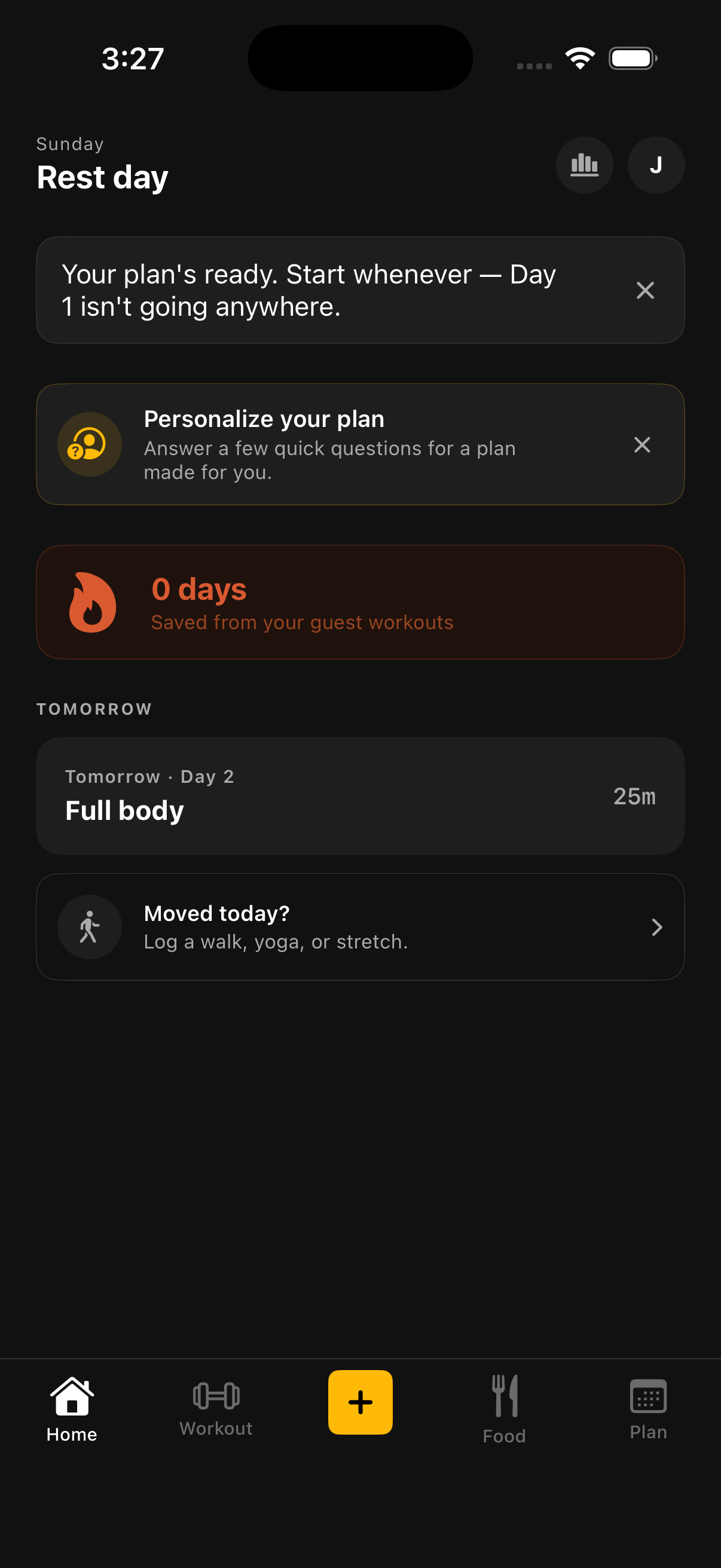
The tab bar at the bottom has four tabs and a centered + button:
- Home. Today's snapshot — your steps, last workout, calories logged, walks, journal prompt, weekly recap, Rest Mode if you're taking the day off. The starting point.
- Workout. Live workout view. If you have a workout in progress, this is where you log sets. If not, you can start one from a template or freestyle.
- + FAB. The center button. Tap to launch quick actions: start a workout, log a walk, open Settings, open the breath/flow exercises, open the journal. Universal shortcut from any tab.
- Food. Today's food log split into breakfast / lunch / dinner / snacks. Add items via search, barcode scan, or pick from your saved recipes.
- Plan. The weekly planner. Drop recipes or food items into upcoming meal slots so future-you isn't deciding what to eat at 6 PM. Also home to the recipe library.
Rest Mode
Not every day is a training day, and WTF isn't going to pretend otherwise. Mark today as Rest Mode from Home and it takes over the day's card with something honest instead of an empty slot — "Today sucked. Tomorrow's a clean slate," that kind of line. No streak-shaming, no "you got this," no guilt.
If you're on a streak, we'll still say so — a rest day doesn't touch it. Tap Reflect in journal on the card if you want to note what you did instead. Completely optional.
Journal
Reach it from the + button, or via Reflect in journal on a Rest Mode card. Write a quick note about your day and, if you want, set a mood — Great, Good, Okay, or Rough. Mood is never required to save.
Your last 30 days show as a calendar, color-coded by mood, so patterns are easy to spot.
Logging a workout
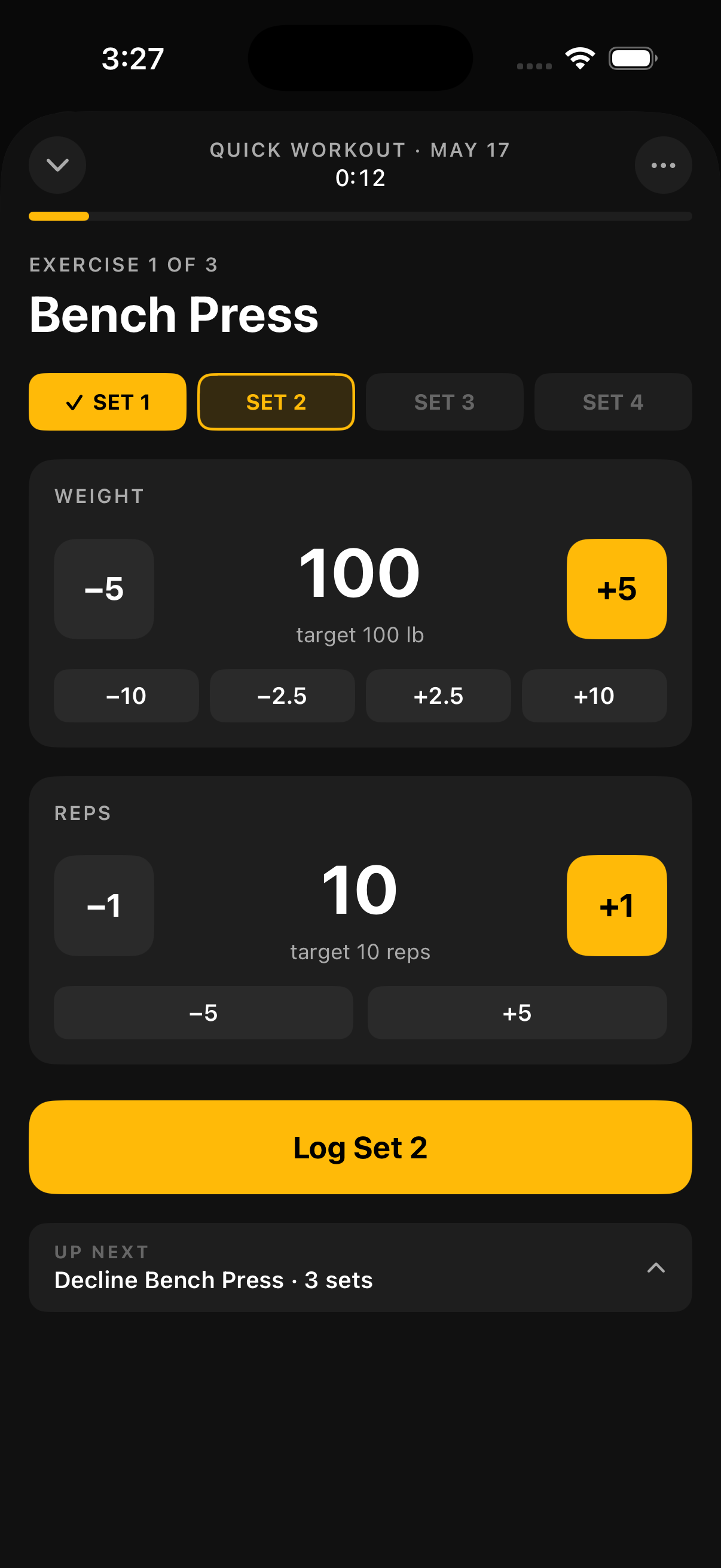
Two paths:
- From a template. Tap the + button → New workout. Pick a saved template (e.g. "Push day," "Legs"). The exercises are pre-loaded with your last weight/reps for each set — fill in actual numbers as you go, hit the rest timer between sets, tap Finish when done.
- Freestyle. Same path but tap Start blank workout instead. Add exercises from the search bar one at a time. Save it as a template at the end if you'll repeat it.
Per-set entry: weight, reps, optional RPE. Personal records (heaviest weight × any reps, or any weight × most reps) are flagged with a star. Long-press any set row for more options: copy from previous set, delete, mark warmup.
The rest timer starts automatically when you log a set. Tap the timer to adjust the duration or skip ahead.
Tracking meals
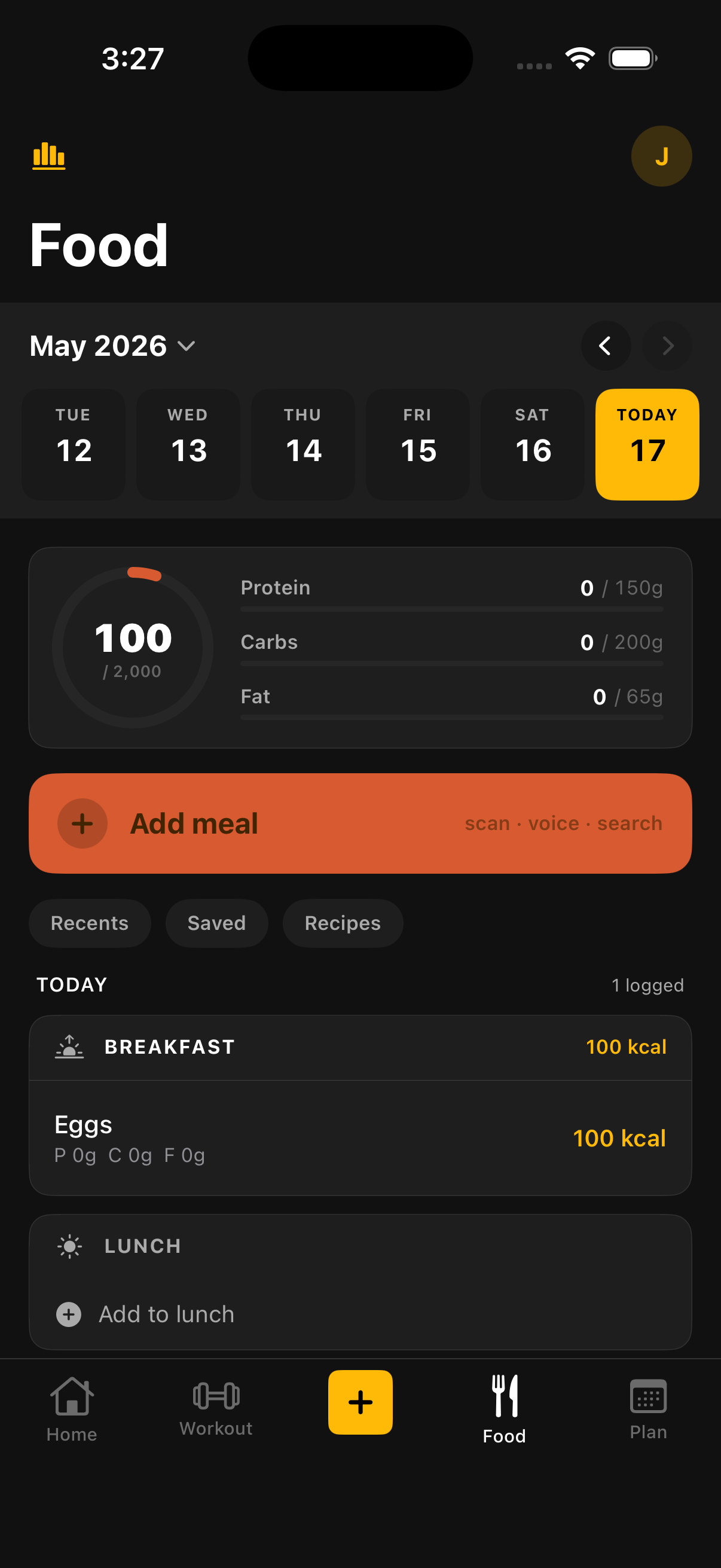
Food → tap the + on any meal slot (breakfast, lunch, dinner, snack) to add an item. Three ways to find food:
- Search. Type "chicken thigh" — autocomplete kicks in fast, pick a result, adjust the serving size, save. Searches a broad nutrition database covering both whole foods and US-branded packaged items, plus anything you've logged before.
- Barcode. Tap the barcode icon, scan the label. Strong coverage for US-branded packaged goods.
- From a recipe. Pick any recipe from your library — all its ingredients drop into the slot scaled to your serving size.
The top of the Food tab shows today's totals: calories, protein, carbs, fat, plus how that compares to your daily targets (set during onboarding, editable in Settings → Personal info).
AI goal coach
Not sure what your targets should be? Describe your goal in plain English — "I want to lose 15 lbs by my wedding on October 12, desk job, hate cardio" — and the AI coach builds you calorie and macro targets around it. Review the plan, tweak it once if it's not quite right, then apply it to replace your current targets.
Find it from the "Tell us what you actually want" card on Home, or Food tab → your daily targets → Set goal with AI Coach. Pro feature — see Free vs Pro.
Recipes
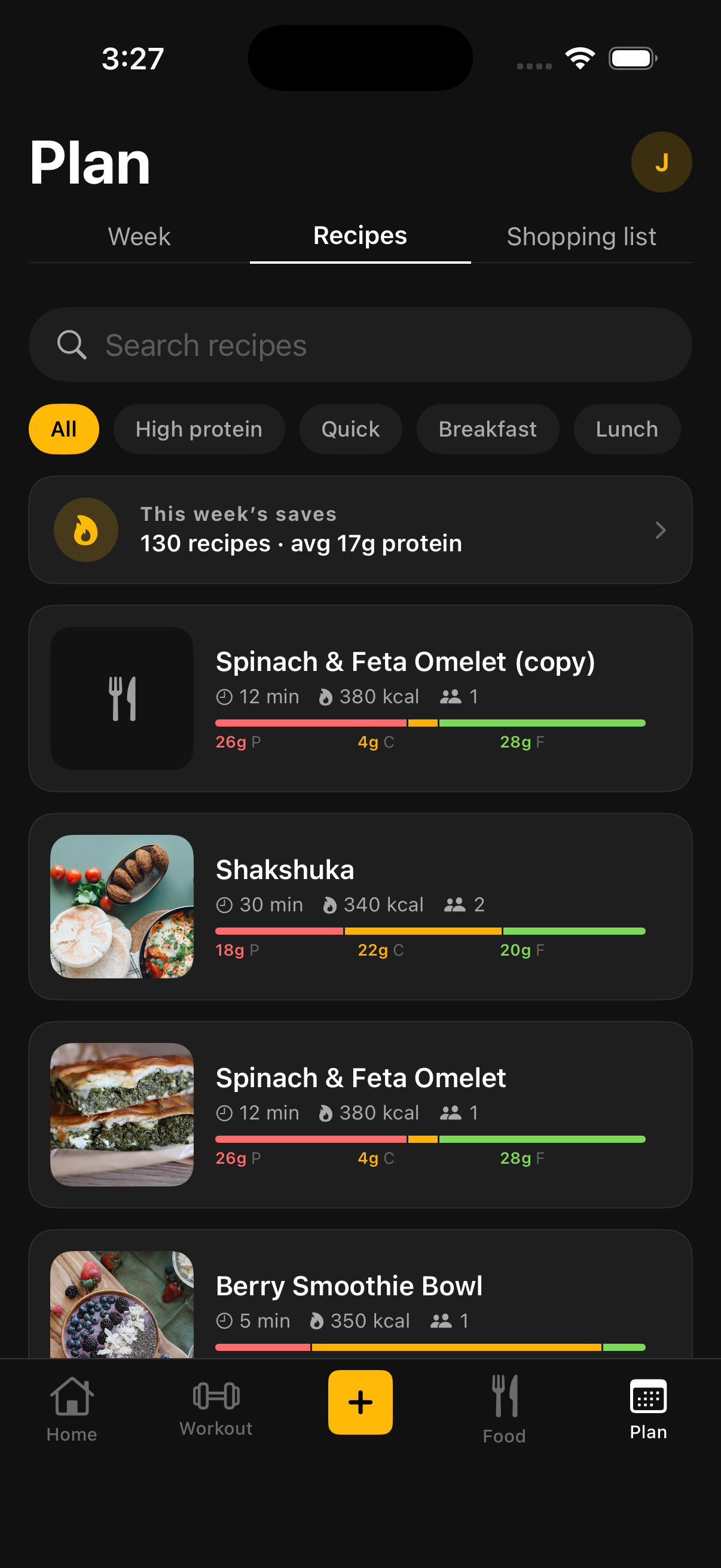
Plan tab → swipe to the Recipes sub-tab. Two kinds of recipes live here:
- System recipes. About 130 recipes we ship by default, covering breakfast, mains, snacks, sides, desserts, marinades. Read-only — you can use them, but you can't edit them. Tap the heart to favorite.
- Your recipes. Tap + in the Recipes tab to build one. Name, course, servings, ingredients, steps, optional hero photo. You own these — edit, delete, share with future-you.
Pull-to-refresh at the top of the Recipes tab pulls the latest system recipes if any have been added since your last sync.
Import a recipe from the web
Tap + in the Recipes tab → Import from link. Paste a URL and AI reads the page, identifies the ingredients and steps, and drops them into a recipe you can review before saving. Most recipe blogs and standard recipe sites work. Some don't:
- Works well: recipe blogs, food sites, sites with proper recipe metadata.
- Doesn't work: TikTok and Instagram videos, paywalled sites, sites that block scrapers.
If an import fails or comes back missing ingredients, you can edit the result before saving or build it manually instead.
Body stats
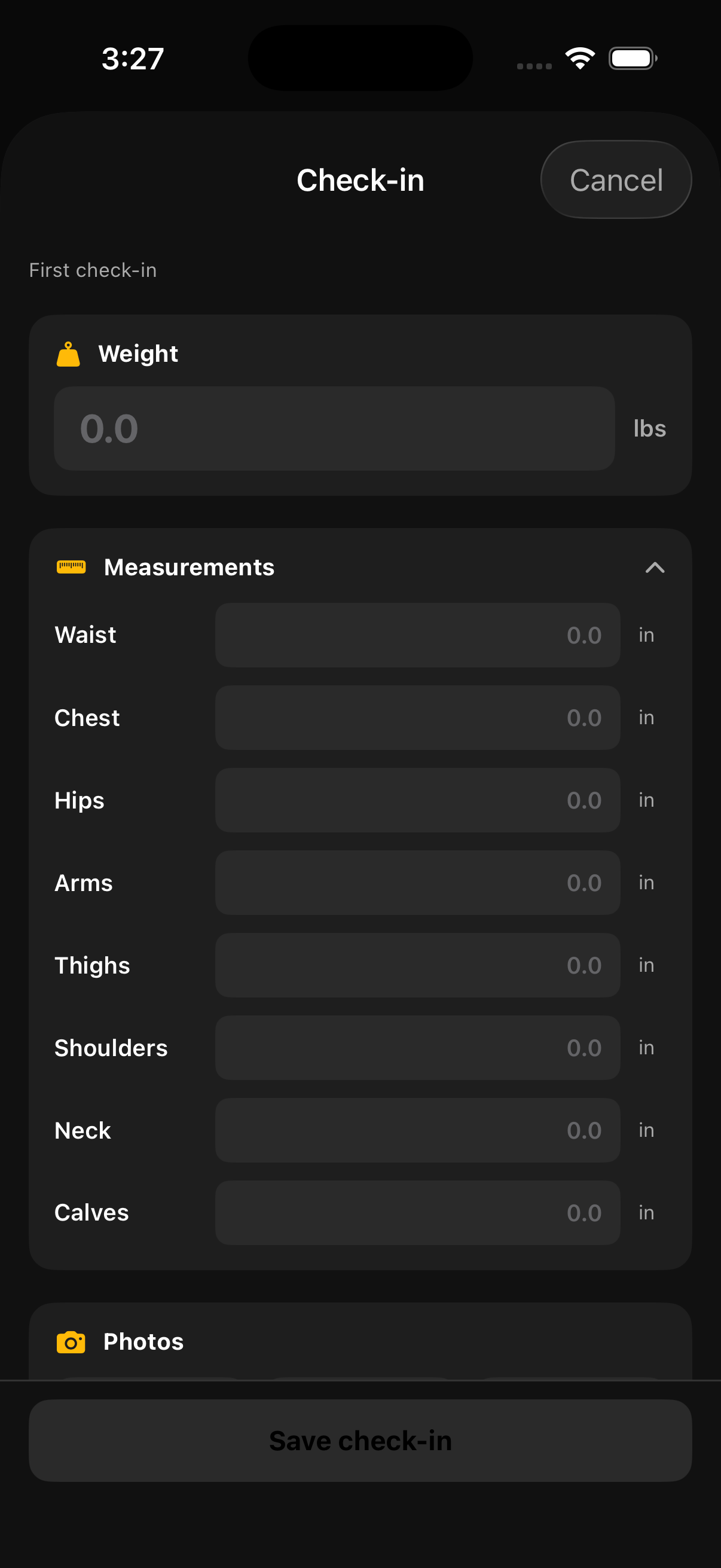
Tap your avatar in the top-right of any screen, or open Settings → Body stats. You can log:
- Weight — daily, weekly, whatever cadence works. Charted on the Progress sheet.
- Body fat % — optional, manual entry. No estimation from the camera.
- Measurements — chest, waist, hips, arms, thighs, neck. Same chart, multiple lines.
- Progress photos — front, side, back. Private to your device unless you choose to share.
Walks
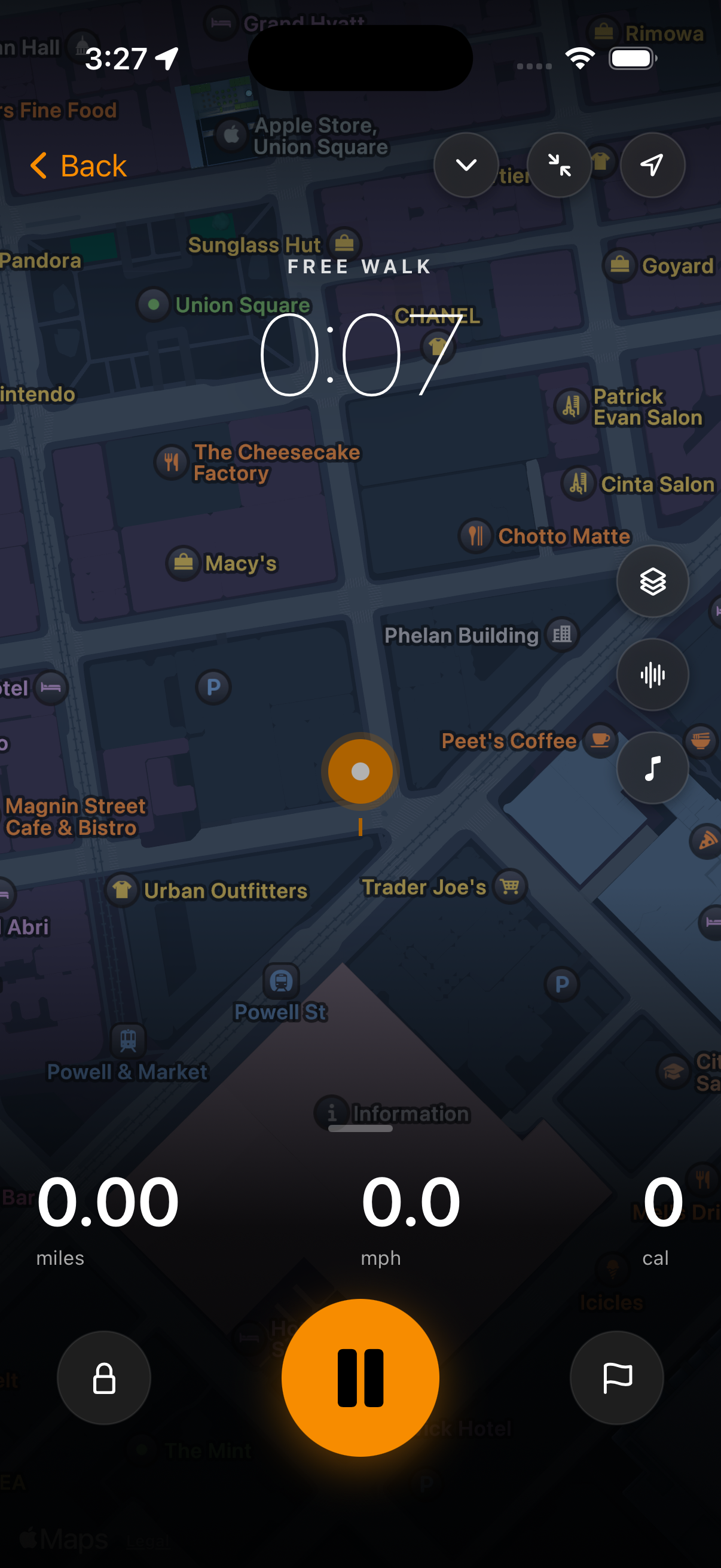
Tap the + button → Start walk. The app tracks your route via GPS (foreground or background — whichever you've allowed), plus step count from CMPedometer if you're on iPhone.
During the walk you'll see a live mini-bar at the bottom showing elapsed time, distance, and pace. Tap it to expand or tap End walk when you're done. Walks save to Home and contribute to your daily activity totals.
Reminders
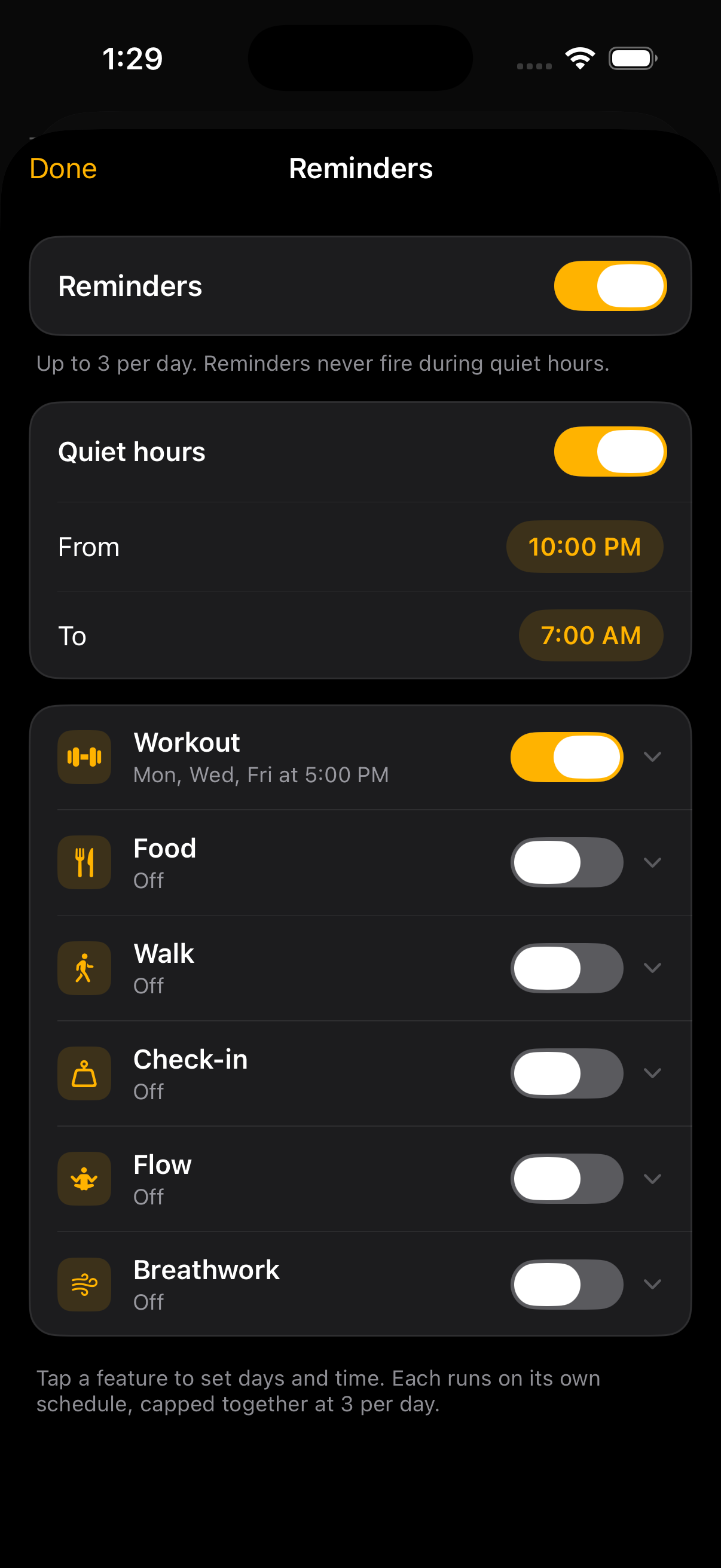
Settings → Experience → Reminders. Notifications are off by default — turn them on once and tune from there.
- Master switch. One toggle to silence everything without losing your per-feature setup.
- Quiet hours. Set a start and end time when WTF won't send notifications, regardless of which categories are on.
- Per-feature toggles. Workout, Food, Check-in, Walk, Flow, and Breathwork each have their own card with their own time-of-day and frequency settings.
- Smart skip. If you've already done the thing today — logged a workout, hit your meal targets — that category's reminder doesn't fire. You won't get nagged about a workout you finished.
- Daily cap. Maximum three reminders per day across all categories, so you never get spammed.
WTF asks for notification permission with a quick explainer screen before iOS shows its system prompt — that's so you know what you're saying yes to. Skip it if you'd rather not, you can turn it on later from this screen.
Apple Health
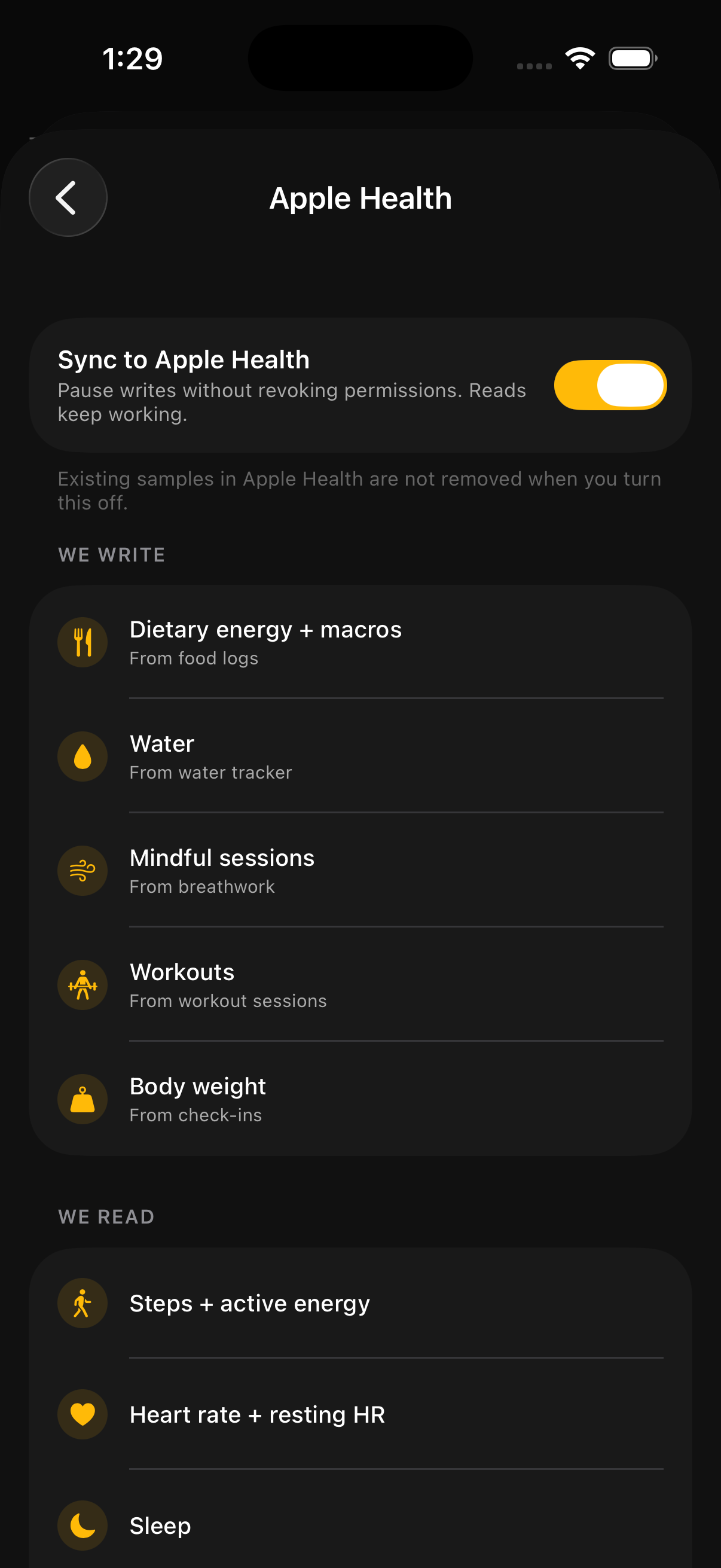
Settings → Experience → Connected apps → Apple Health. WTF reads from and writes to Apple Health so your data shows up in both places.
WTF writes to Apple Health:
- Workouts you log in the app, with duration, energy burned, and workout type
- Body weight entries from Body stats
- Nutrition macros from food logs — calories, protein, carbs, fat
- Mindfulness minutes from Flow and breathwork sessions
WTF reads from Apple Health:
- Workouts from Apple Watch and other apps, so they show up in your activity totals
- Step count, active energy, and heart rate
- Sleep data (if you track it on Apple Watch or in another app)
- Body weight (so updating in any Health-connected app updates everywhere)
You control every category. Toggle anything off and WTF stops reading or writing that data type — granular control, no all-or-nothing.
Settings
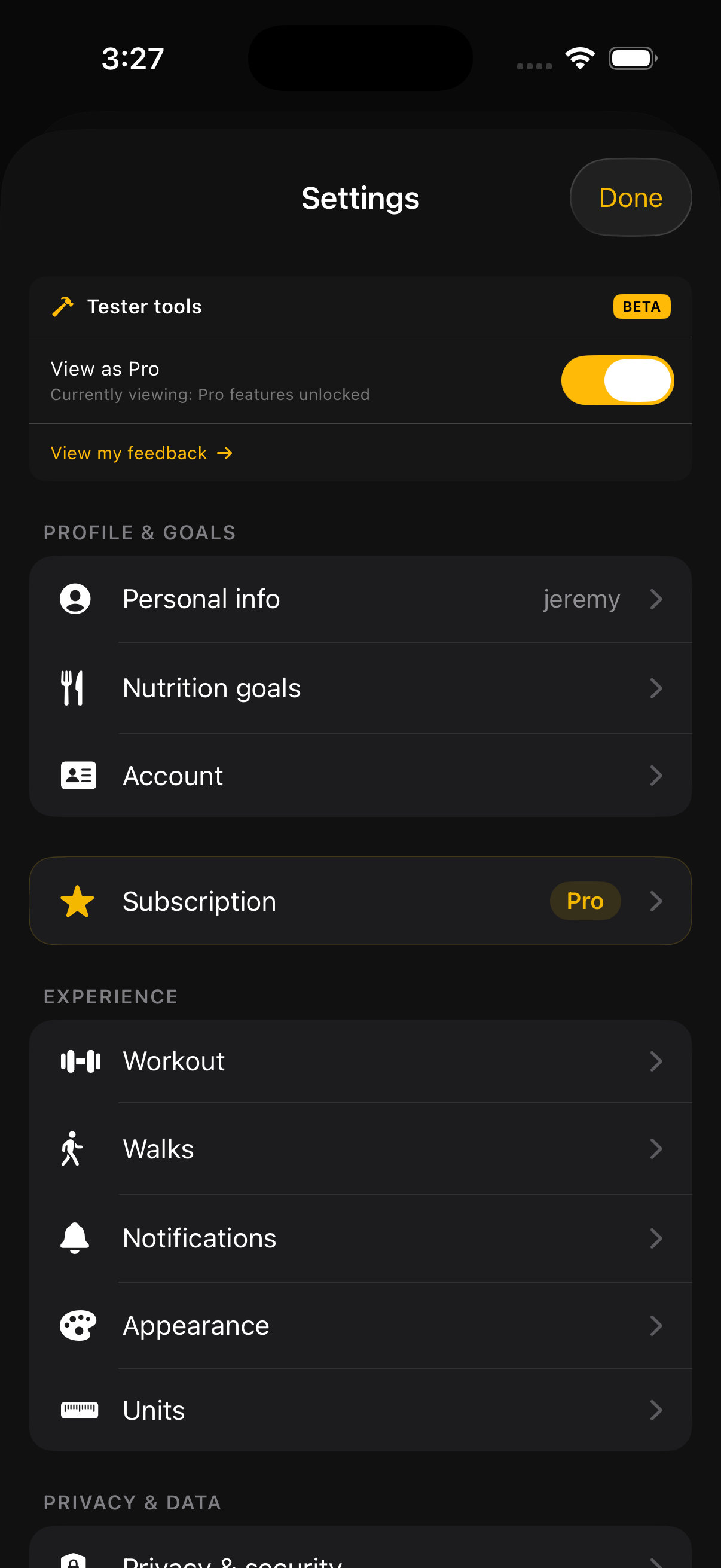
Reach Settings via the + button → Settings. Organized into a few sections:
- Profile & goals — name, personal info, daily targets, units (lb/kg, mi/km).
- Experience — appearance, workout preferences, walks settings, reminders, connected apps (Apple Health, etc.).
- Privacy & data — export your data, delete your account.
- Help & about — this page, contact info, app version.
- Account — change email/password, manage subscription, sign out.
Free vs Pro
Most of WTF is free forever — workouts, food logging, walks, body stats, basic recipes, plan tab, journal, breath sessions. WTF Pro unlocks a handful of advanced features:
- Unlimited recipe library + advanced recipe filters
- Flow sessions (longer breath + mobility flows)
- Detailed progress analytics + weekly recap depth
- Cook mode with persistent timers (post-launch)
- AI goal coach — calorie and macro targets built from your goal, in plain English
Pricing: $9.99/month or $89.99/year (save ~25%). One subscription per account. Subscribe via Settings → Subscription. Cancel anytime via your iPhone's Settings → [your name] → Subscriptions.
Sending feedback
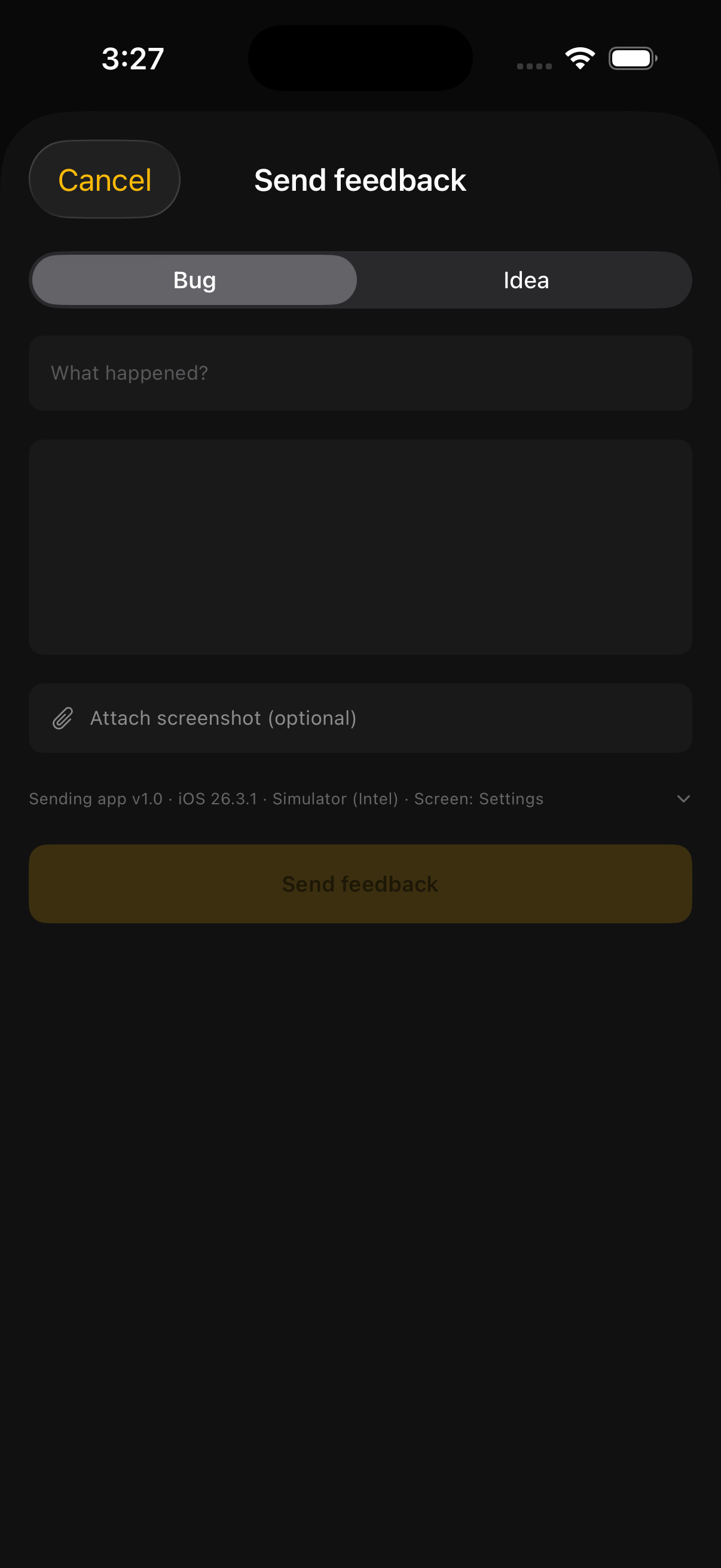
Two paths:
- FAB → Send feedback. Includes a screenshot, your device info, and a free-text field. Goes straight to the team for triage.
- Settings → Help & about → Contact for non-bug questions — feature requests, "why does X work this way," general thoughts.
If something crashed or is broken, the screenshot version (path 1) gets fixed faster — context cuts triage time in half.
Troubleshooting
The magic link email didn't open the app
On older iOS versions, tapping a magic link in Mail may open the link in Safari instead of the app. If the page just says "Sign-in link sent" but the app didn't open, force-quit Mail and Safari, then re-tap the link. Universal links require iOS to have indexed the app's domain at least once after install.
Apple Health isn't reading my workouts / weight
Settings → Experience → Connected apps → Apple Health. Verify every category you want shared is toggled on. If WTF doesn't appear in the iOS Settings → Privacy → Health list, force-quit and reopen the app — the permission prompt fires on the first request after launch.
Notifications aren't firing
iOS Settings → Notifications → WTF. Allow Notifications must be on. If it is and reminders still don't fire, check Settings → Experience → Reminders inside the app — the master switch and individual reminder types (workout, food, check-in, walk, flow, breathwork) each have their own toggle. Also check your Quiet hours — if "now" falls inside that window, nothing will fire.
I forgot my password
Sign-in screen → Forgot password. We'll email a reset link. The link expires after an hour — request a new one if you wait too long.
I want to delete my account
Settings → Privacy & data → Delete account. Permanent — workouts, food logs, walks, body stats, GPS routes, photos all get wiped within 30 days. Cannot be undone.
Still stuck?
Email jeremy@jerhud.com with a description of what happened and (if possible) a screenshot. Real human reads every one.